- check_circleDocuments & photosmigrated
- check_circleEmail & contactsmigrated
- check_circleBookmarks & passwordstransferred
- check_circleApplications3 included
- check_circlePrinterset up
- scheduleWindows softwarequoted separately
support_agent Remote Linux migrationYour computer isn't too old.
Your computer isn't too old.
Windows is.
On October 13, 2026 the extended security updates for Windows 10 run out as well. Instead of buying a new computer, we install Linux on the one you have — fully remotely, including your data, programs and printer.
fromCHF 249
Why Linux?
More and more people and companies are moving to Linux — in Switzerland too. Since 2024, Swiss federal law makes open source the default for the federal administration. The reasons are usually the same:
Keep your device
Windows 11 requires newer hardware. Linux runs smoothly on devices that will last for years — no e-waste.
Privacy
No ads, no AI features pushed on you, no mandatory account, no constant data collection.
Fast again
Linux needs far less memory than Windows 11. Older computers feel snappy again.
No license costs
No license fees, no mandatory subscriptions, no paid per-device update extensions.
Familiar from day one
We recommend a proven combination that feels familiar from day one. Start menu, taskbar, email, letters and spreadsheets — everything where you'd expect it.
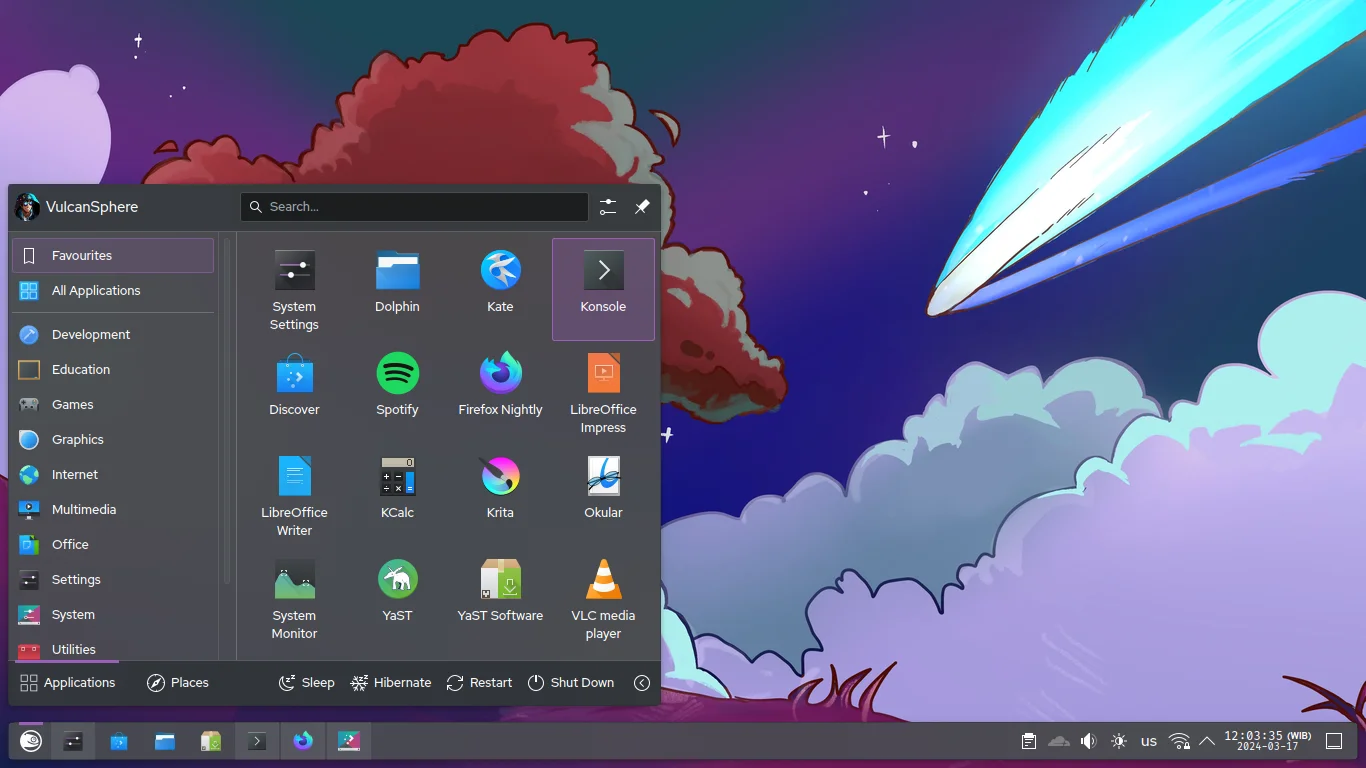
A desktop that looks the way you're used to.
KDE Plasma is laid out like Windows: start menu at the bottom left, a taskbar with your open programs, clock and system icons at the bottom right. You manage files in the Dolphin file manager — with folders, drives and thumbnails.
Honestly
We looked at what excites people after switching to Linux — and what makes them give up. Almost every stumbling block has one thing in common: you face it alone. That's exactly why we exist.
What switchers love
- favoriteThe old computer is suddenly fast again.
- favoriteNo ads in the start menu, no AI pushed on you, no constant data collection.
- favoriteUpdates when it suits you — no forced restarts.
- favoriteFree, vetted programs from the app store.
- favoriteA system that doesn't slow down after years of use.
- favoriteThe feeling that your computer belongs to you again.
What frustrates switchers — and what we do about it
The problem
“My important program doesn't exist for Linux.”
Our solution
We check every application before the switch and show you alternatives, browser versions or ways to keep using Windows software. No surprises afterwards.
The problem
“My printer, scanner or graphics card doesn't work.”
Our solution
Hardware is part of the assessment. We set up drivers and test everything before you sign off.
The problem
“Hundreds of distributions — which one is right?”
Our solution
We make that decision for you and choose a proven, beginner-friendly system with long-term support.
The problem
“I don't want a terminal, and I don't want to relearn everything.”
Our solution
We set up Linux so it feels familiar and walk you through the essentials in a personal introduction.
The problem
“Moving my data is tedious and risky.”
Our solution
We back everything up first, then migrate documents, photos, email and bookmarks — and you confirm that everything is there.
The problem
“Who do I call when something doesn't work?”
Our solution
Us. For 14 days we fix anything within the agreed scope that doesn't work as signed off, free of charge. Beyond that we're happy to help — billed by effort, by email, phone or remote session.
The package
A clear starting price for a typical workstation. The assessment shows exactly what you need — then you get a fixed price.
Starter packageFor private customers and SME workstations
fromCHF 249
- check_circleAssessmentWe record programs, data and devices and check compatibility.
- check_circleData backupBefore we change anything, we back up your data to an external drive.
- check_circleInstallationKDE Plasma on a proven Linux with long-term support, fully set up.
- check_circleData migrationDocuments, photos, email, contacts, bookmarks and passwords.
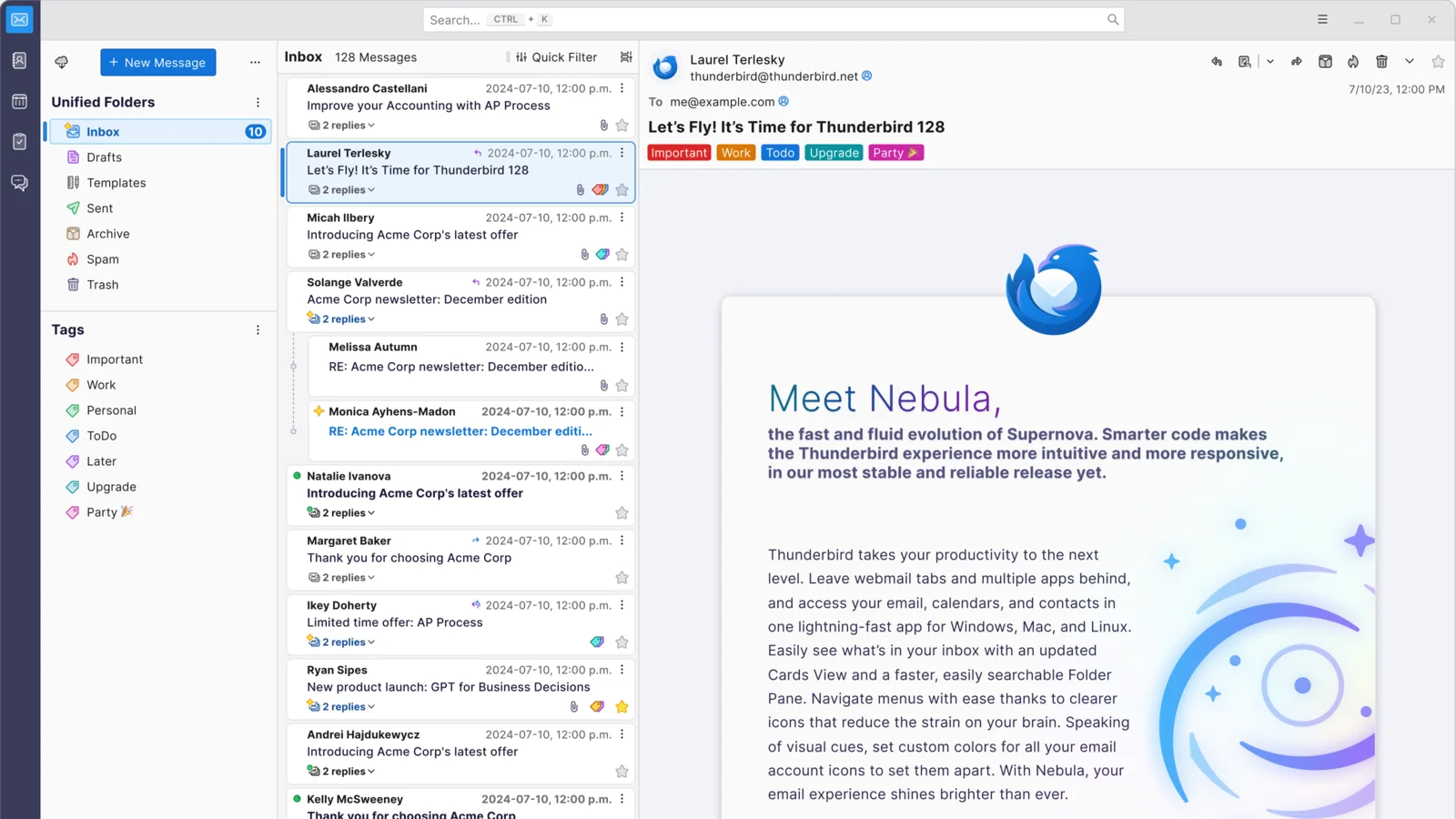
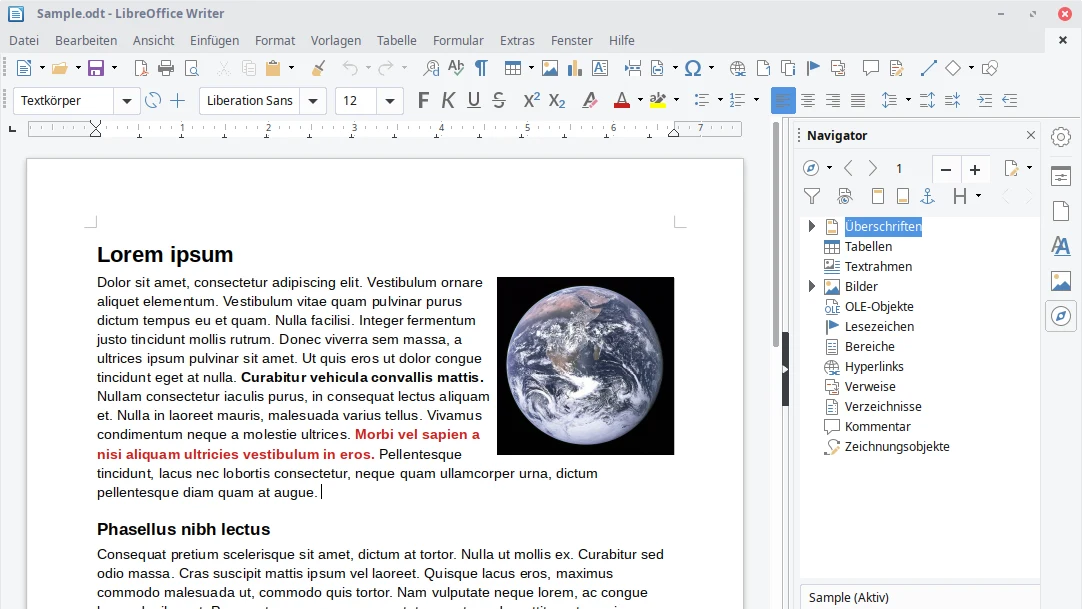
- check_circle3 applicationsThree programs of your choice — for example Thunderbird and LibreOffice — installed and set up.
- check_circle1 printerOne printer or multifunction device, set up and tested.
- check_circle15-minute introductionA personal video-call introduction to your new system.
- check_circle14-day fix guaranteeIf something within the agreed scope stops working the way it did at sign-off, we fix it free of charge.
How the switch works
You stay at your desk throughout the switch. We work remotely, and you have a say at every step.
- 1cast_connected
Connection
With your consent we connect securely to your computer via remote support.
Together
- 2fact_check
Assessment
We record which programs, data and devices you have and what will run on Linux.
ZNIPP
- 3request_quote
Plan & quote
You get a plan of what will be migrated and how, plus a binding fixed price.
ZNIPP
- 4sync_alt
Migration
Once you approve, we back up your data, install Linux and migrate everything as planned.
After your approval
- 5verified
Sign-off
We present the result. The switch is only complete once you confirm everything works.
You confirm
For SMEs: more than a new operating system
For SMEs with several workstations the switch works the same way — just with one standard configuration that we roll out to every device. Every workstation looks the same, and new employees are set up in minutes.
And if it turns out that an old Windows-only industry application is the only reason you can't switch? That's often the right moment to think about a modern web solution. Custom business software is our core business.
Our software servicesarrow_forwardMultiple workstations
One tested base configuration for all workstations instead of one-offs.
Digital independence
No per-device license fees, no dependency on a single US vendor.
Industry software in the browser
Replace Windows-only industry software with a web application that runs on any device.
Direct line
We're a Swiss software company. You talk directly to the people doing the work.
Frequently asked questions
Will my programs run on Linux?expand_more
We find out during the assessment, before you pay anything. Most programs have equivalent Linux alternatives or a browser version. Windows-only software can often still be used — through a compatibility layer or a virtual Windows. That work is quoted separately.
Can I still edit Word and Excel files?expand_more
Yes. You open and edit Word, Excel and PowerPoint files with LibreOffice or OnlyOffice. Microsoft 365 also works fully in the browser. Only complex Excel macros or Access databases need a closer look.
What about accounting, e-banking and tax returns?expand_more
Most Swiss solutions run in the browser today: Bexio, e-banking and the tax return in many cantons. Banana Accounting is available for Linux directly, and Abacus offers a Linux client too. We check your specific applications in the pre-check.
How does a remote installation work?expand_more
We connect to your computer using remote support software — only with your consent, and you can watch. The installation needs a USB stick that we prepare together. When the computer restarts, we guide you through the few necessary steps by phone, then take over remotely again.
Can I keep Windows or go back?expand_more
Yes. If there's enough disk space, Windows and Linux can stay installed side by side — you choose at startup. And because we back up your data before the switch, there's always a way back.
Do I have to learn the command line?expand_more
No. Modern, beginner-friendly Linux systems work like Windows: a start menu, windows, and an app store for new programs. Updates take one click. The terminal is for professionals, not for your everyday work.
Can I play games on Linux?expand_more
Many Steam games run fine thanks to Proton. Some online games with anti-cheat protection — such as Valorant or Fortnite — don't work, though. If gaming matters to you, we'll tell you honestly what works.
What does the switch really cost?expand_more
The starter package costs from CHF 249 and covers data migration, up to three applications and one printer. After the assessment you get a binding fixed price. We only start the switch once you've agreed to it.
When would you advise against switching?expand_more
If you rely on Adobe programs professionally, depend on Windows-only industry software that can't be replaced, or play competitive online games. We'll tell you in the pre-check — and won't recommend the switch.

Will it work for me?
In a free 30-minute pre-check we find out whether your programs, devices and data are ready for Linux — and what the switch will actually cost you.